
PROJECTS
Projects and sessions stay organized.
Keep each project, its conversations, and the provider work attached to the machine where the work actually runs.
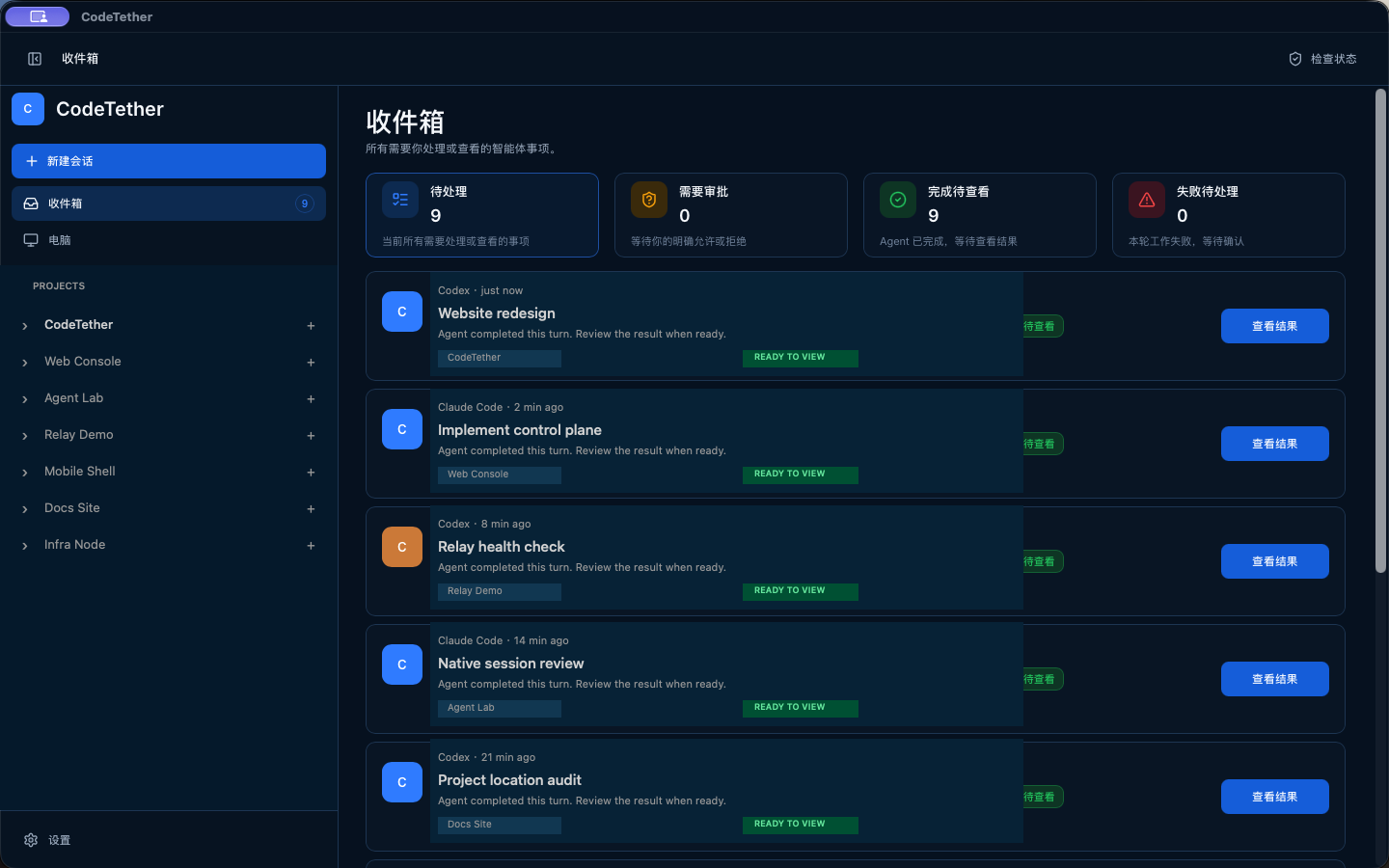 Real desktop capture
Codex and Claude Code keep working on your own machines. CodeTether gives you one place to follow projects, conversations, attention, and supported controls from desktop, phone, or tablet.
Real desktop captureProduction build completed. Review is ready.
Open conversationCodeTether does not replace Codex or Claude Code. It makes their work easier to see, organize, and supervise across your devices.
Keep each project, its conversations, and the provider work attached to the machine where the work actually runs.
Real desktop captureSee what needs attention, what is ready to review, and which agent or project produced the update before opening the conversation.
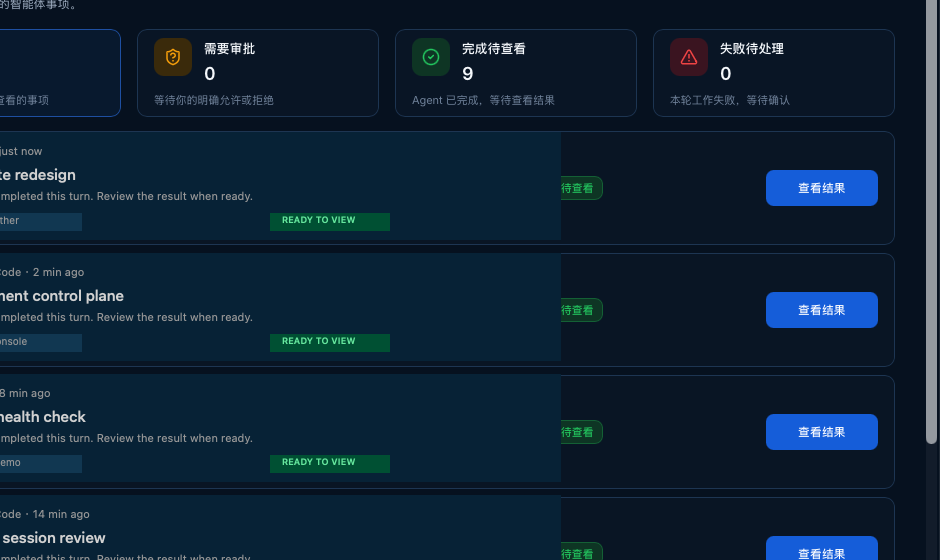 Real desktop capture
Completed turns stay visible with their project and provider context, so review, resume, or a fresh task is always an explicit choice.
How session continuity works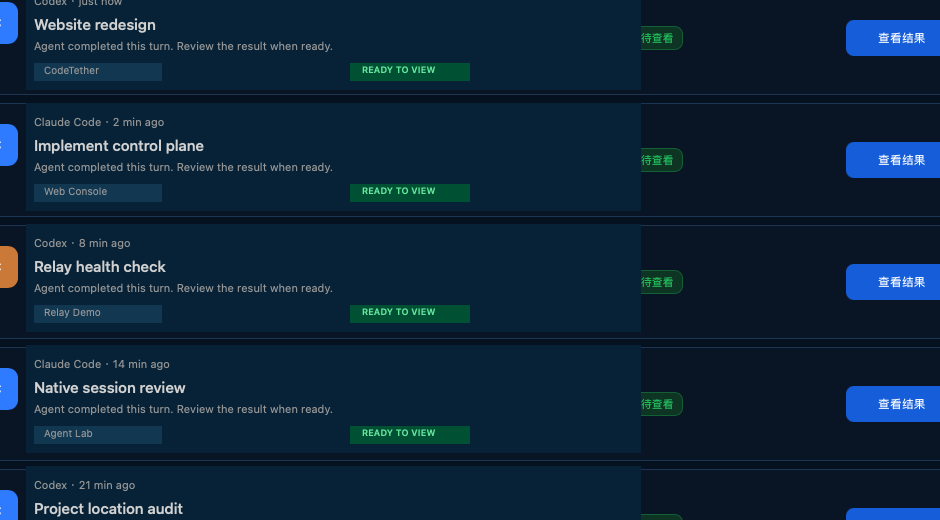 Real desktop capture
Real CodeTether desktop captures show the core loop: see what changed, find the project, and review the result.
Real desktop captureA single queue for completed work, pending attention, approvals, and failures. Scan several agents without opening every conversation.
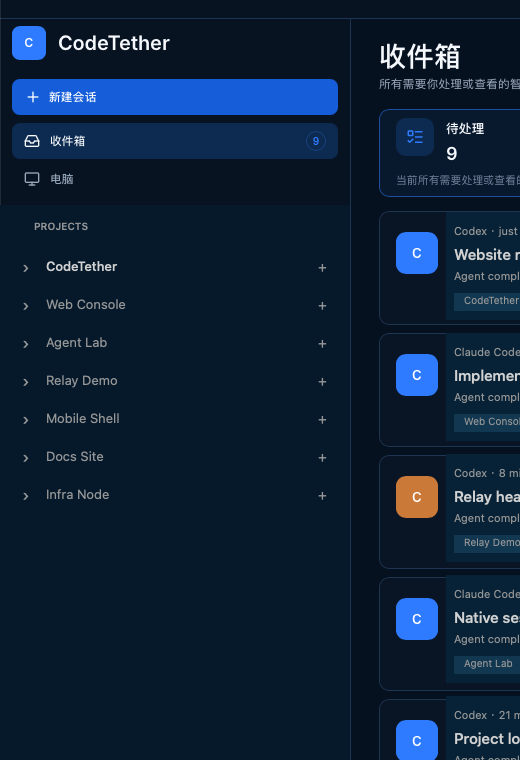 Real desktop capture
Projects sit beside the global inbox, machines, and settings. Expand a project to reach the conversations that belong to it.
Real desktop captureResult cards keep the agent, project, status, and review action together. Follow up without pretending CodeTether is the provider itself.
Choose a validated Desktop build. A separate Node is only needed on a machine you want to reach remotely without the Desktop app.
Use a supported Codex or Claude Code installation, register a project folder, and start the first task.
Connect one phone or tablet to follow work away from the execution machine. Device access remains explicit and revocable.
Projects and provider processes stay on the selected execution machine, not inside the public website.
Relay assists connection using opaque encrypted traffic. It does not own projects, prompts, or provider sessions.
Account membership, control-device authorization, and machine trust are separate checks. One does not silently grant another.
Setup and troubleshooting live in the documentation, not behind a support form.
Browse documentationCodeTether is free to download and includes one execution machine plus one control device. That device can be either a phone or tablet; it is one shared slot.
Yes. CodeTether uses supported provider installations and their existing authentication on the execution machine. Provider subscriptions, API usage, and model charges are separate.
Validated downloads are listed on the Download page. Desktop is the full workspace, a Node can expose a separate execution machine, and a phone or tablet is a focused control companion.
Yes, for live control and provider work. A sleeping machine, stopped service, or unavailable provider cannot continue new remote actions.
Free to download. Includes 1 execution machine and 1 control device — a phone or tablet.